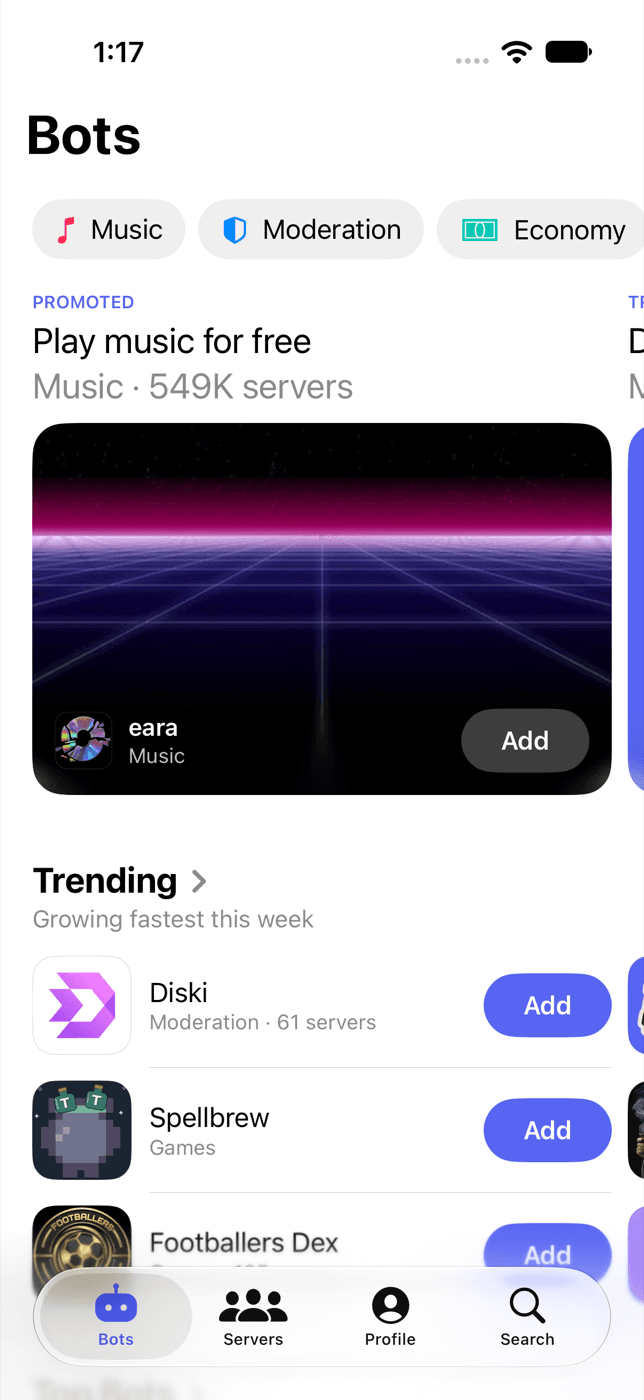
Discover, compare, add.
Listings from the major Discord directories in one app, refreshed automatically.
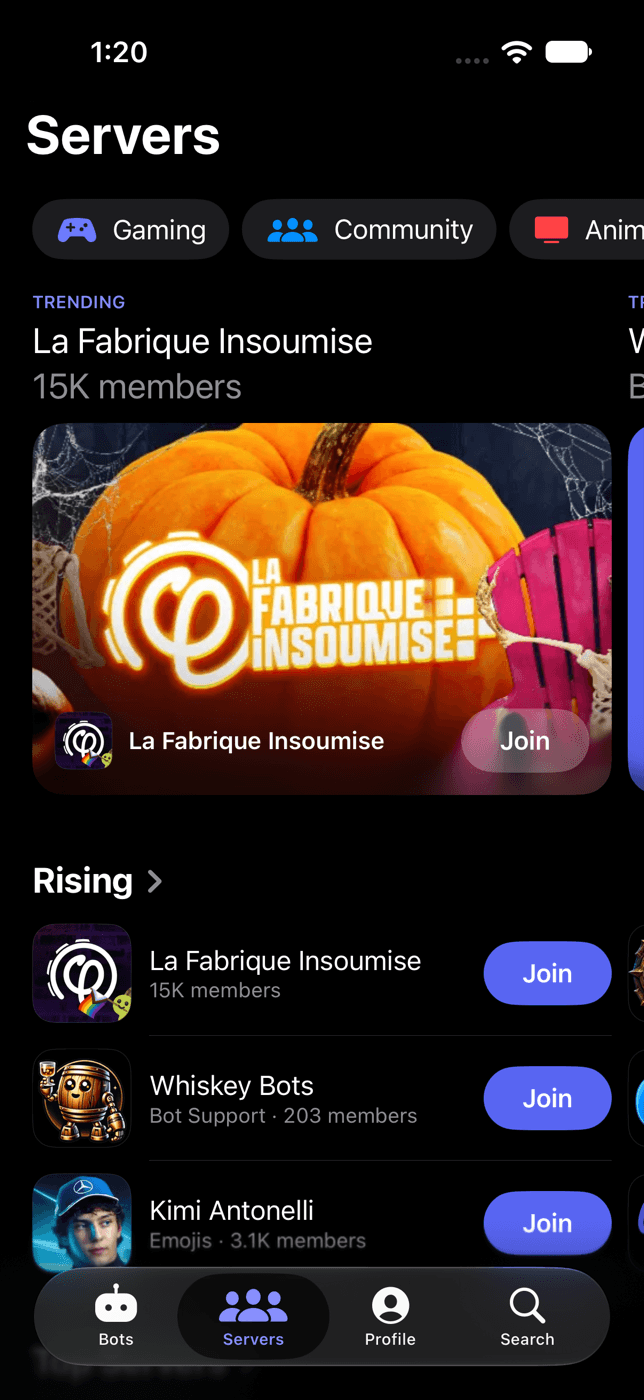
Bots and servers
Music, moderation, leveling, economy, AI, games and more, for bots and for communities to join.
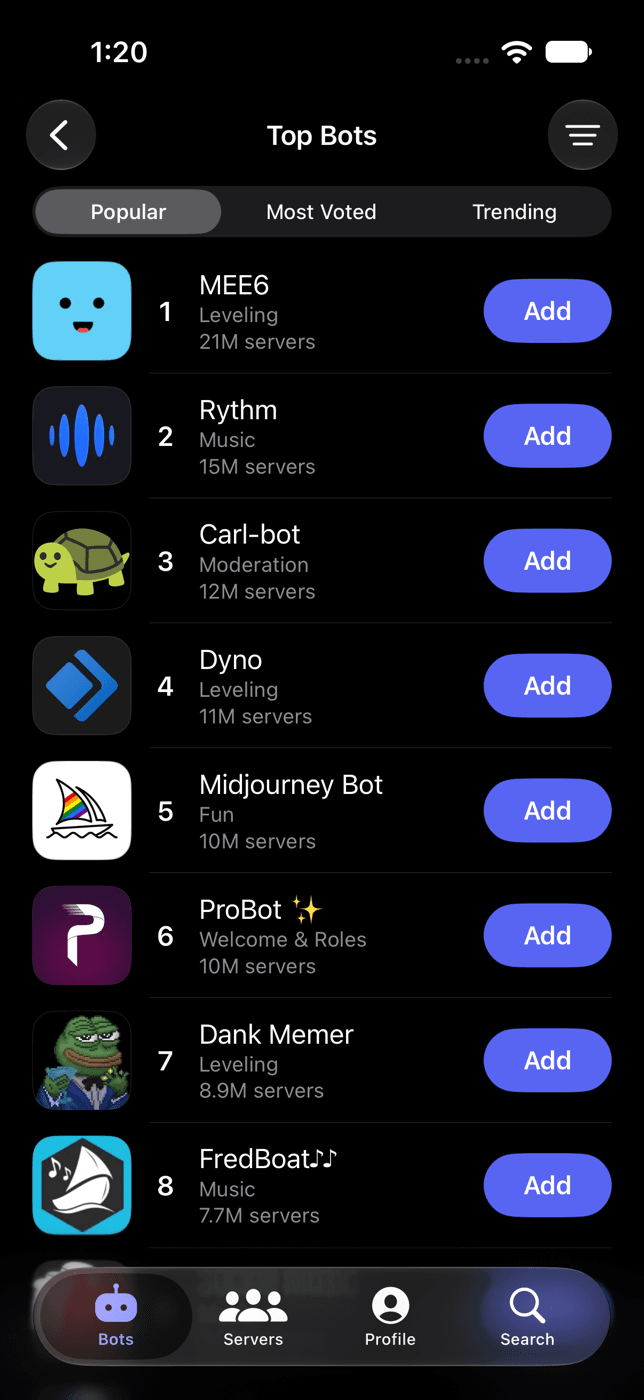
Top charts
Most popular, most voted and trending lists, refreshed every day.
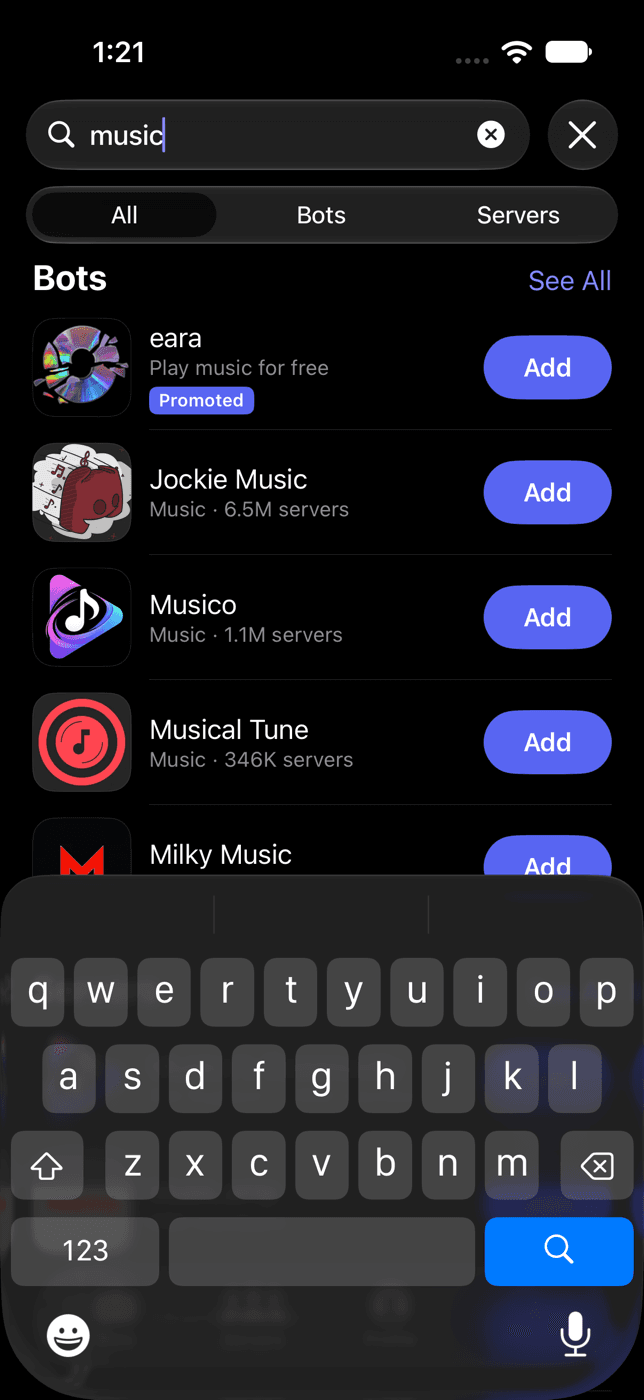
Search
Search by name, feature or category across every bot and server.
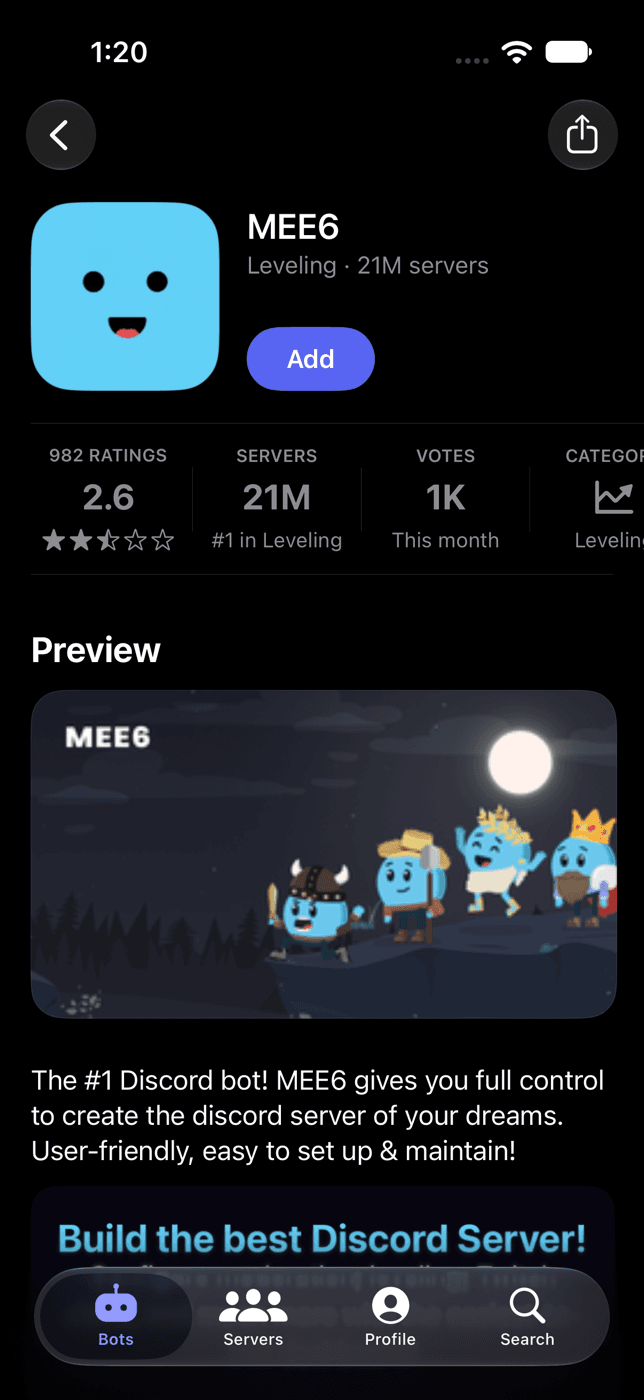
Everything before you add
Server counts, members online, ratings, votes, category rank and the developer behind each bot.
Everything you need to pick the right one.
Featured and trending
The Bots and Servers tabs open on picks, trending lists and categories, so there is always something to try.
One directory
Listings from top.gg, discord.bots.gg and Discord Bot List, merged and refreshed automatically.
Add or join in a tap
Tap Add and Discord opens its authorization screen. Tap Join to open a server's invite.
More than 50 languages
Dark mode, larger text and more than 50 languages, including Arabic, Japanese, Hindi and Portuguese.
Favorites and voting
Save favorites, hide what you don't want to see, and sign in with Discord to vote.
Ratings, votes and reach
Compare ratings, monthly votes, server counts and members online.
Rated 4.6 by more than 3,100 people on the App Store.
Real reviews from server owners who set up their bots from their phones.
Frequently asked questions
If you have anything else you want to ask, reach out to us.
Where do the listings come from?
From public bot and server lists, including top.gg, discord.bots.gg and Discord Bot List. They are merged into one directory and refreshed automatically.
Is the app free?
Yes. The app is free on iOS and Android and is supported by ads. A one-time Remove Ads purchase turns them off.
How do I add a bot or join a server?
Tap Add on a bot and Discord's authorization page opens, where you pick a server. You need the Manage Server permission there. Tap Join on a server to open its invite.
Does the app need my Discord password?
No. Adding bots and signing in happen on Discord's own pages. The app never sees your password.
Why sign in with Discord?
Only to vote. Browsing, favorites and adding bots work without an account. You can delete your account from the Profile tab at any time.
How accurate are the numbers?
Server counts, members online, votes and ratings come from Discord and the bot lists and are refreshed regularly. Developers report their own server counts.
Can I list my own bot or server?
Yes. Sign in and submit it from the Profile tab. Bots and servers on the supported lists also appear automatically.
I bought Remove Ads in an earlier version. Do I keep it?
Yes. Version 5 restores it automatically with the Apple ID or Google account you bought it with.
Is this app made by Discord?
No. Bots & Servers is an independent directory and is not affiliated with or endorsed by Discord Inc.